Comm Direct Rental, a Division of Implecho
One of the most common concerns about renting two-way radios for large events is not just whether the equipment will work, but about the onsite experience once the event begins.
- Will the radios already be programmed?
- Will someone help distribute them?
- What happens if a unit stops working mid-show?
- How much training will the team need?
- Who handles battery swaps, missing units or last-minute changes?
Onsite radio rental support helps ensure the audio communications plan is executed seamlessly, supported and managed once it’s show time.
This article explains the importance of onsite support for two-way radios and what you should expect (and demand) from your radio rental provider.
RELATED: What to Expect from Onsite Radio Support at Events
Which Event Team Personnel Should Get a Two-way Radio?
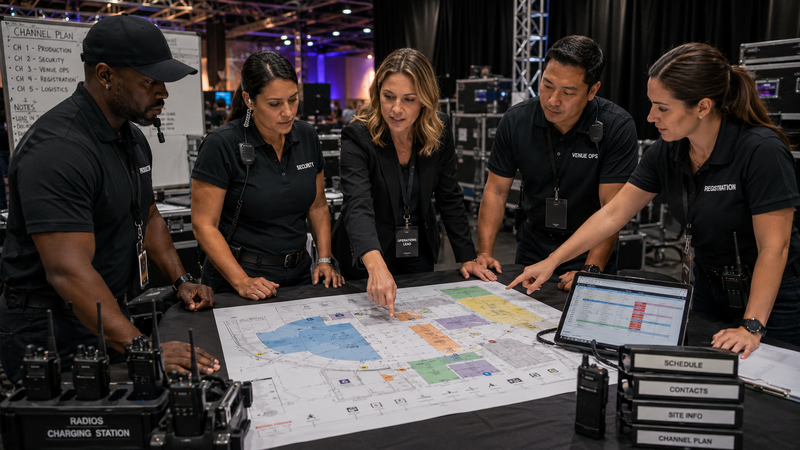
Two-way radios are usually rented for back-of-house and production communication team members at large events to help them stay connected. The first step in developing an event communication plan is determining who needs clear paths of communication with other team members. They typically include:
- Operations
- Venue teams
- Logistics
- Security and medical
- Transportation
- Catering or Food & Beverage
- Registration and ticketing
- Leadership
- Production support
Assigning a radio is the easy part. Making sure each person knows how to use it and the communication protocols is not always cut-and-dried.
What is the Importance of Onsite Radio Management at Events?
A strong onsite process and management plan will reduce any burden of distributing, programming and handling radios. The last thing you want your event team to worry about is whether they’ll have to babysit their two-way radios on show day, or not know how to troubleshoot an issue.
Even good equipment can create a frustrating experience if the following onsite processes are inadequate.
- Devices should have a clear check-in/check-out process
- Channel assignments should be clear for each radio user
- Appropriate accessories should be assigned (e.g., security may need surveillance kits)
- Batteries must be charged, with fully charged backup units always on hand.
If support is unclear, small issues will arise and consume time that could be spent focusing on the attendee experience.
Explore Onsite Radio Support & Consultation Services
What Difference Does Onsite Radio Support Make?
When you rent radios from Comm Direct Rental, a division of Implecho, the goal is to make the event easier to operate and to make the onsite experience seamless. The contrast between no support and having onsite technical support are clear:
|
Without Onsite Support
|
With Onsite Support
|
|
Improvised radio distribution
|
Organized check-in/check-out
|
|
Users unsure of channels
|
Clear role-based communication
|
|
Slow troubleshooting
|
Fast replacements and support
|
|
Battery issues disrupt teams
|
Backup batteries and timely charging available
|
|
Missing gear confusion
|
Better tracking and accountability
|
|
Operations team handles problems
|
Provider helps manage communication
|
Operations teams are usually managing enough already. They do not need communication gear to become another moving part with unclear ownership or protocols.
USE CASE: Multi-department Event Morning
Challenge: Multiple teams need radios before doors open
Solution: Pre-assigned channels and organized distribution by group or individual
Result: Faster launch, less confusion
What Does Onsite Radio Support Include?
While the exact workflow depends on the event, venue and service level, a strong onsite radio rental process usually includes the following stages.
1. Event-ready Equipment
By the time equipment is deployed, there should already be a working understanding of user groups, likely channel assignments, accessory needs and operational priorities. That does not mean every event is handled the same.
For example, the radio system may already be organized around various user groups. Some may need simpler radio-only kits while others need accessories that make long shifts easier or improve clarity in louder environments.
Having a plan for distributing radios should be thought through long before radios are being passed around.
2. Radios Check-out Process
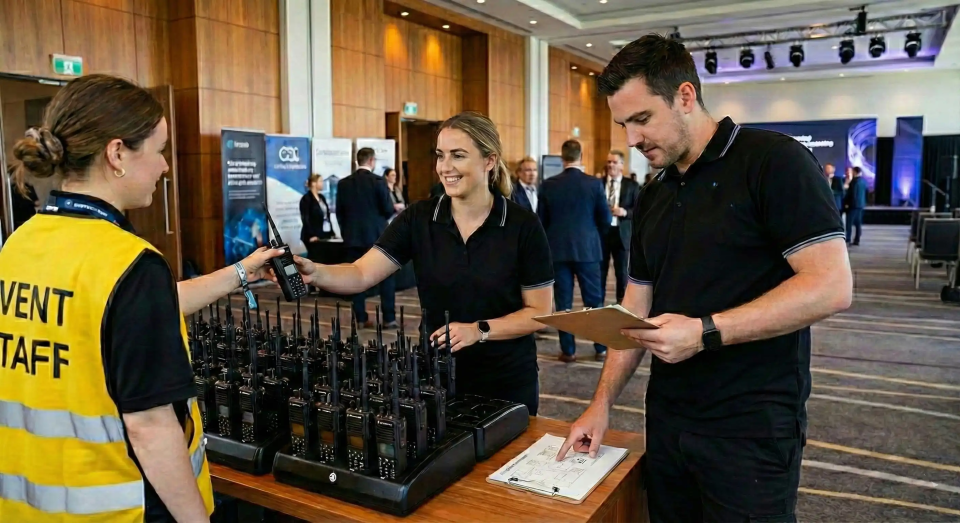
A controlled checkout process is one of the most important aspects of a user’s experience. It gives the event team visibility into who has each unit, which department it belongs to and what accessories went with it.
A clear check-out process helps:
- Reduce missing units
- Make battery planning easier
- Support faster troubleshooting
- Make it much easier to reassign equipment when staffing changes during the event
In live environments, informal handoff processes create confusion. A more centralized check-out structure helps the communication platform stay disciplined.
3. User Training
Most users do not need a long technical training session. A clear and fast explanation of how the system is supposed to work in the context of the event should suffice.
Training usually includes:
- What channel they should be on
- Who they should call for which issues
- What traffic should stay local versus escalate
- How to wear or use accessories correctly
- What to do if a battery dies or a unit fails
- Who to contact for support
This is one of the biggest differences between handing out radios and creating a usable communication system. For operations teams, even a short, well-run user briefing can prevent a lot of avoidable channel noise and uncertainty later in the day.
4. System Testing
A radio system can look fine during setup and still reveal weak spots once the venue fills, departments spread out and the pace increases.
Onsite testing checks coverage in the zones where people will actually work, confirming that critical users can reach each other, and making sure the communication structure makes sense under live conditions.
For larger events, this may also involve validating repeater support, confirming group or zone logic and checking that the event’s highest-risk communication paths are dependable.
The goal is to catch any signal transmission issues before the event is fully live.
USE CASE: Venue with Difficult Zones
Challenge: Signal dead spots backstage/loading docks
Solution: Testing and repeater deployment
Result: Reliable coverage on show day
5. Onsite Support During the Event
Operations teams are typically concerned about what happens when something goes wrong and how their team will respond. The same is true for radios. A well-supported onsite process makes the following scenarios more manageable:
- Dropped or damaged unit
- Fast-draining or dead battery
- Reassigned users
- Channel adjustments
- Radio replacements
- General troubleshooting
The support structure should be clear enough that communication problems do not spiral into operational disruption.
6. Equipment Recovery
The end of the event matters, too. A good onsite process makes radio recovery feel organized. It should include:
- Collecting/check-in of units
- Confirming returns
- Checking accessories
- Identifying missing pieces
- Preparing for recharge
- Redeployment or closeout
- Packing up and sending all units back to the rental company after the event
It’s easy to underestimate what should happen after a long event day. A smooth recovery process can save time, eliminate billing disputes, ensure all units are accounted for and make post-event follow-up simpler.
What are the Benefits of Onsite Radio Support?
When the onsite process is working well, the benefits are obvious.
- Users know where to go for pickup and drop off
- Users get what they need without guesswork
- They know how to use the radios and proper protocols
- The channel structure feels purposeful
- Problems have a support path
- Leadership has better visibility into who has equipment and how the system is functioning
- Mid-event changes are manageable rather than disruptive
- The radio system becomes a critical tool to help the event run smoothly
- Delays, confusion and repeated questions are reduced
The onsite process should support these goals every step of the way.
USE CASE: Large Event with Shifting Teams
Challenge: Staffing changed throughout the day
Solution: Flexible reassignment + battery swaps
Result: Communication stayed aligned
With onsite support from an experienced provider like Comm Direct Rental, events get a reliable and frictionless two-way radio deployment process including organized checkout, clear user guidance, support during the event and a clean recovery process afterward.
Key takeaways
- A good radio rental experience depends as much on the onsite process as on the equipment itself
- Controlled checkout improves visibility, accountability and faster reassignment
- Short, practical user briefings reduce confusion and unnecessary channel noise
- Onsite testing and support help the system hold up under real event pressure
- Clean recovery matters just as much as clean deployment
Need Help Planning Your Event’s Onsite Radio Experience?
If your team is evaluating radio rental companies, ask about how they can help simplify your operations rather than creating one more thing to manage.
With onsite support, our team becomes an extension of yours, helping scope your communication plan, distribution process, support structure and recovery workflow.
Contact us today to talk through your radio needs. We’re here to help.
Frequently Asked Questions:
Onsite Radio Support
Will the radios already be programmed when they arrive onsite?
In most well-run event deployments, the radios should arrive ready for the event’s planned communication structure. Channels, user groups and accessories are aligned with the operational plan before distribution begins.
How are radios usually handed out to teams during an event?
The best approach is a controlled check-out process rather than informal handoff. That helps the event keep track of who has each radio, what accessories were issued and how equipment can be reassigned or recovered later.
What happens if a radio stops working during the event?
A good onsite support process will provide a clear path for troubleshooting, replacement or reassignment. The goal is to keep communication issues from turning into larger operational problems.
Do event staff need a lot of training to use rental radios?
No. Most staff need a short, practical briefing focused on their role, channel, escalation path and basic operating expectations rather than a long technical training session.
Why does onsite support matter so much in a radio rental?
Because live events change constantly. Teams move, staffing shifts, batteries need management and occasional equipment issues happen. Onsite support is what helps the communication plan stay stable when the event becomes more dynamic.